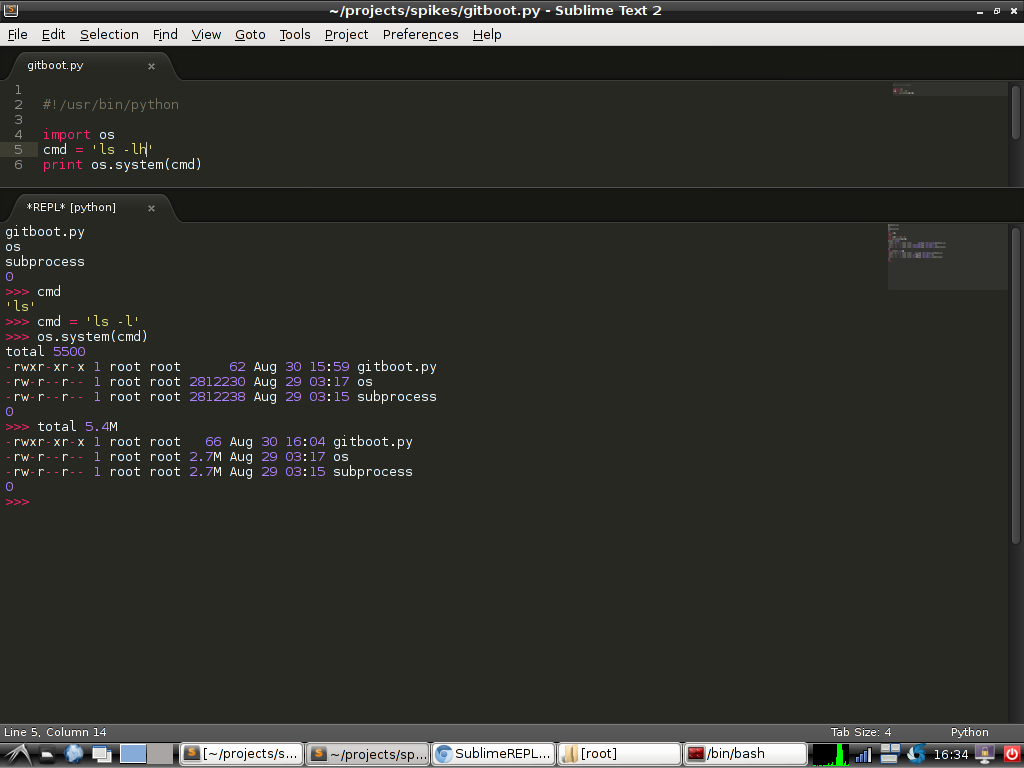
Here is a short screencast that I made to demonstrate what I believe are some of the more useful features and techniques of working in Sublime Text 2 and the python repl. Specifically, I wanted to show others who might need the dots connected to understand just what the intended usage flow of SublimeRepl is.
The following is covered:
- Where to find your Sublime Text 2 keymap file.
- How to add a keymapping
- I’ll post my example below
- Use the REPL to work with objects loaded from the open file buffer.
- Use the built-in key mappings for transferring current file to the REPL.
KEYMAPPING CODE
{ "keys": ["f8"],
  "command": "repl_open",
  "caption": "Python",
  "mnemonic": "p",
  "args": {
              "type": "subprocess",
              "encoding": "utf8",
              "cmd": ["python", "-i", "-u", "$file"],
              "cwd": "$file_path",
              "syntax": "Packages/Python/Python.tmLanguage",
              "external_id": "python"
           }
}
Namaste…
 Joel Holder's Code Compendium